
Ray-Ban Meta Glasses Gen 2 vs Gen 1: The Ultimate Comparison – Best Choice
What’s the Difference?
Smart glasses have become more useful in years especially for people who want hands-free photography, music, calls and AI features. The Ray-Ban Meta Glasses Gen 2 build on the features introduced with the first-generation Ray-Ban Meta glasses.
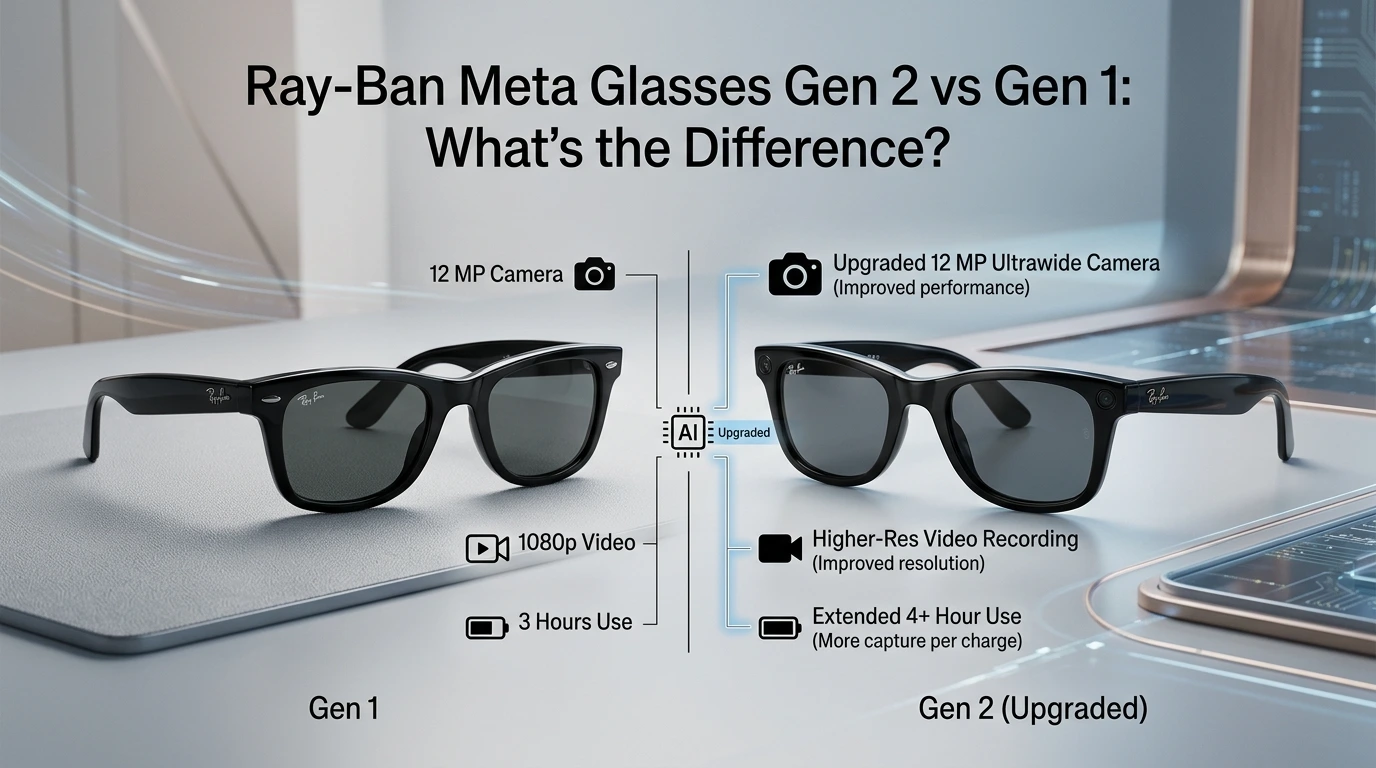
While both generations have an overall design and offer Meta AI Gen 2 brings important upgrades especially in battery life, camera performance and video recording.
If you are deciding between the two understanding the differences can help you choose the pair.
What Are Ray-Ban Meta Glasses Gen 1?
The first-generation Ray-Ban Meta smart glasses were introduced as an updated version of the Ray-Ban Stories. They combine the Ray-Ban design with cameras, speakers, microphones and smart features.
Gen 1 glasses can take photos, record videos play music handle calls and interact with Meta AI through a smartphone.
They are available in Ray-Ban frame styles and can also be purchased with different lens options.
What Are Ray-Ban Meta Glasses Gen 2?
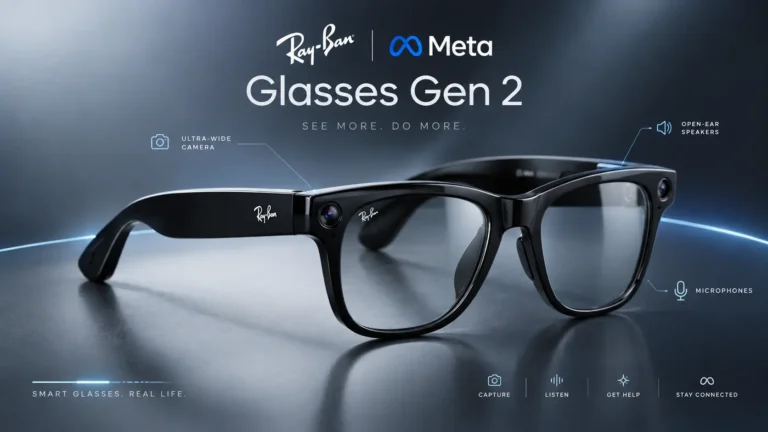
The Ray-Ban Meta Glasses Gen 2 are the version of Meta smart glasses. They keep the concept of the original model but introduce several hardware and performance improvements.
The biggest upgrades include a camera, longer battery life improved video capabilities and updated smart features.
For people who use glasses frequently these improvements can make Gen 2 more practical for everyday use.
Ray-Ban Meta Glasses Gen 2 vs Gen
1: Comparison
| Feature | Ray-Ban Meta Gen 1 | Ray-Ban Meta Gen 2 |
| Camera | 12 MP | 12 MP upgraded camera |
| Video | Up to 1080p | Up to 3K Ultra HD |
| Moderate-use battery | Up to 4 hours | Up to 8 hours |
| Charging case | Up to 32 additional hours | Up to 48 hours |
| Continuous audio and voice assistance | Up to 3 hours | Up to 5 hours |
| Meta AI | Yes | Yes |
| Open-ear audio | Yes | Yes |
| Water resistance | IPX4 | IPX4 |
| Smartphone connection | Required | Required |
1. Camera and Video Quality
This makes Gen 2 a better choice for users who regularly record videos while walking, traveling attending events or creating media content.
If photography and video recording are your reasons for buying smart glasses Gen 2 offers the more advanced experience.
2. Battery Life
Battery life is another improvement in the newer model.
Ray-Ban Meta Gen 1 offers up to around 4 hours of use while Gen 2 can provide up to 8 hours under similar moderate-use conditions.
The charging case also provides additional battery life. Gen 1 can provide up to 32 hours through its charging case while Gen 2 offers up to 48 additional hours.
This makes Gen 2 more convenient for people who use their glasses throughout the day.
Gen 2 improves battery performance during audio and voice-assistant use as well.
Gen 1 provides up to around 3 hours of audio and voice assistance while Gen 2 can provide up to around 5 hours.
For listening and hands-free conversations both models can be useful but Gen 2 has the advantage in battery endurance.
4. Meta AI Features
Both Gen 1 and Gen 2 work with Meta AI. Users can interact with the glasses using voice commands. Ask questions get information and use supported AI features.
The glasses can also provide hands-free assistance while users are doing activities.
5. Design and Comfort
The overall design of the two generations remains very similar. Both are designed to look like Ray-Ban glasses rather than traditional technology products.
This is one of the advantages of the Ray-Ban Meta line. Users can wear them as glasses while having access to smart features.
Both generations are available in frame styles and lens options so the final appearance can depend on the specific model you choose.
6. Water Resistance
Both generations are designed to handle moisture but they are not waterproof.
The glasses have a IPX4 water-resistance rating** which means they can resist water splashes from different directions.
They should not be submerged in water. Used for swimming.
Both generations are designed to work with a smartphone and the Meta AI app.
A smartphone connection is used for setup, managing settings transferring photos and videos and accessing smart features.
Therefore these glasses are not independent devices. Their full functionality depends on the phone, app, account, internet connection and supported features.
Ray-Ban Meta Gen 2 vs Gen 1: Which Has Better Battery Life?
Gen 2 has better battery life.
This is one of the reasons to consider the newer model. Gen 2 can provide up to 8 hours of use compared with around 4 hours for Gen 1.
The newer charging case also provides additional charging capacity.
For users who spend periods away from a charger this difference can be important.
Ray-Ban Meta Gen 2 vs Gen 1: Which Is Better for Content Creators?
Gen 2 is the option for content creators.
The upgraded camera and 3K Ultra HD video recording can provide video quality for people who frequently create first-person or hands-free content.
Gen 1 can still be useful for photos and short videos but Gen 2 is better suited to users who want more advanced recording capabilities.
However Gen 2 can be more attractive if you want:
- Longer battery life
- Video recording
- Upgraded camera performance
- Continuous audio and voice-assistant time
- A better option for content creation
For someone buying Ray-Ban Meta glasses for the first time Gen 2 is generally the more future-focused option.
Ray-Ban Meta Glasses Gen 2 vs Gen 1: Pros and Cons
Gen 1 Pros
- Proven smart-glasses design
- Meta AI support
- Open-ear audio
- Hands-free. Videos
- Suitable for everyday use
- Usually a good option if available at a price
Gen 1 Cons
- Shorter battery life
- video capability compared with Gen 2
- Older hardware
- Suitable for users who record frequently
Gen 2 Pros
- Up to 8 hours of moderate-use battery life
- Upgraded camera
- Up to 3K Ultra HD video
- audio and voice-assistant time
- Up to 48 additional hours from the charging case
- Better choice for content creation
Gen 2 Cons
- More expensive than Gen 1
- Still requires a smartphone for features
- Not waterproof
- Some AI features depend on software, region and language availability
Which Ray-Ban Meta Should You Buy?
If you want the features and better battery life Ray-Ban Meta Gen 2 is the better choice.
If you already have Gen 1 and are happy with its camera, battery life and AI features there may not be a reason to upgrade immediately.
Gen 1 can still make sense if you find it at a lower price and mainly want basic smart-glasses features.
For buyers however Gen 2 offers the stronger overall package because of its improved battery life and upgraded camera capabilities.
Frequently Asked Questions
Are Ray-Ban Meta Gen 2 better than Gen 1?
Gen 2 features an upgraded camera system. Supports video recording at, up to 3K Ultra HD.
Can Gen 1 use Meta AI?
Yes. Gen 1 supports Meta AI through software and the connected Meta AI app.
Are Ray-Ban Meta Gen 2 waterproof?
No. The glasses are water resistant with an IPX4 rating. They are not made for swimming or submersion.
Should I upgrade from Gen 1 to Gen 2?
If you need battery life and better video recording the Ray-Ban Meta Glasses Gen 2 can be a good upgrade. If you use the Ray-Ban Meta Glasses Gen 1 for calls, music and occasional photos you may not need to upgrade.
The Ray-Ban Meta Glasses Gen 2 vs Gen 1
The Ray-Ban Meta Glasses Gen 2 vs Gen 1 comparison shows that the newer model focuses on improving the everyday experience, rather than completely changing the design.
The Ray-Ban Meta Glasses Gen 1 remains a pair of smart glasses with Meta AI, open-ear audio, cameras and hands-free controls. The Ray-Ban Meta Glasses Gen 2 extends these features with a battery life, an upgraded camera and higher-resolution video recording.
For buyers who want the latest technology the Ray-Ban Meta Glasses Gen 2 is the better overall option. For existing Ray-Ban Meta Glasses Gen 1 owners upgrading makes the most sense if longer battery life and better video quality are important, to them.
One Comment